This is your Booking Site - customers book here
Services About Gallery Instagram Find Us Owner Login
Rocky Hill, CT

GIOVANNI'S
BARBER
STUDIO

Premium barbering, straight razor shaves, hot towel treatments & sugaring hair removal. More than a haircut - it's an experience.

CHOOSE YOUR
BARBER

Have a favorite barber? Start there. Prefer to browse by service instead? Scroll down and book the way you like.

OUR
SERVICES

Every cut, shave, and treatment delivered with precision and care.
Haircuts
Shaves
Sugaring
Add-Ons
Precision cuts for all ages and hair textures. Every haircut includes straight razor cleanup on the neck and hairline.
Finished with hot lather around neck & ears + hot towel.
Old-world straight razor shaves with hot lather and hot towel. Book standalone or add to any haircut.
Hot towel treatment included with all shave services.
All-natural sugaring hair removal - gentler than wax, longer-lasting results. Text or call to book.
Text to book: (860) 856-9983 | Pre-treatment intake form required.
Additional sugaring services available by request including vajacial/penacial spa treatments. Contact Jessi at (860) 856-9983 or on Instagram.
Elevate any service with these enhancement add-ons. Ask about combining with your haircut or shave.
Giovanni's Barber Studio
Rocky Hill, CT
MORE THAN
A CUT

Giovanni's Barber Studio is Rocky Hill's premier destination for precision barbering, straight razor shaves, and luxury grooming. Every visit is an experience - not just a transaction.

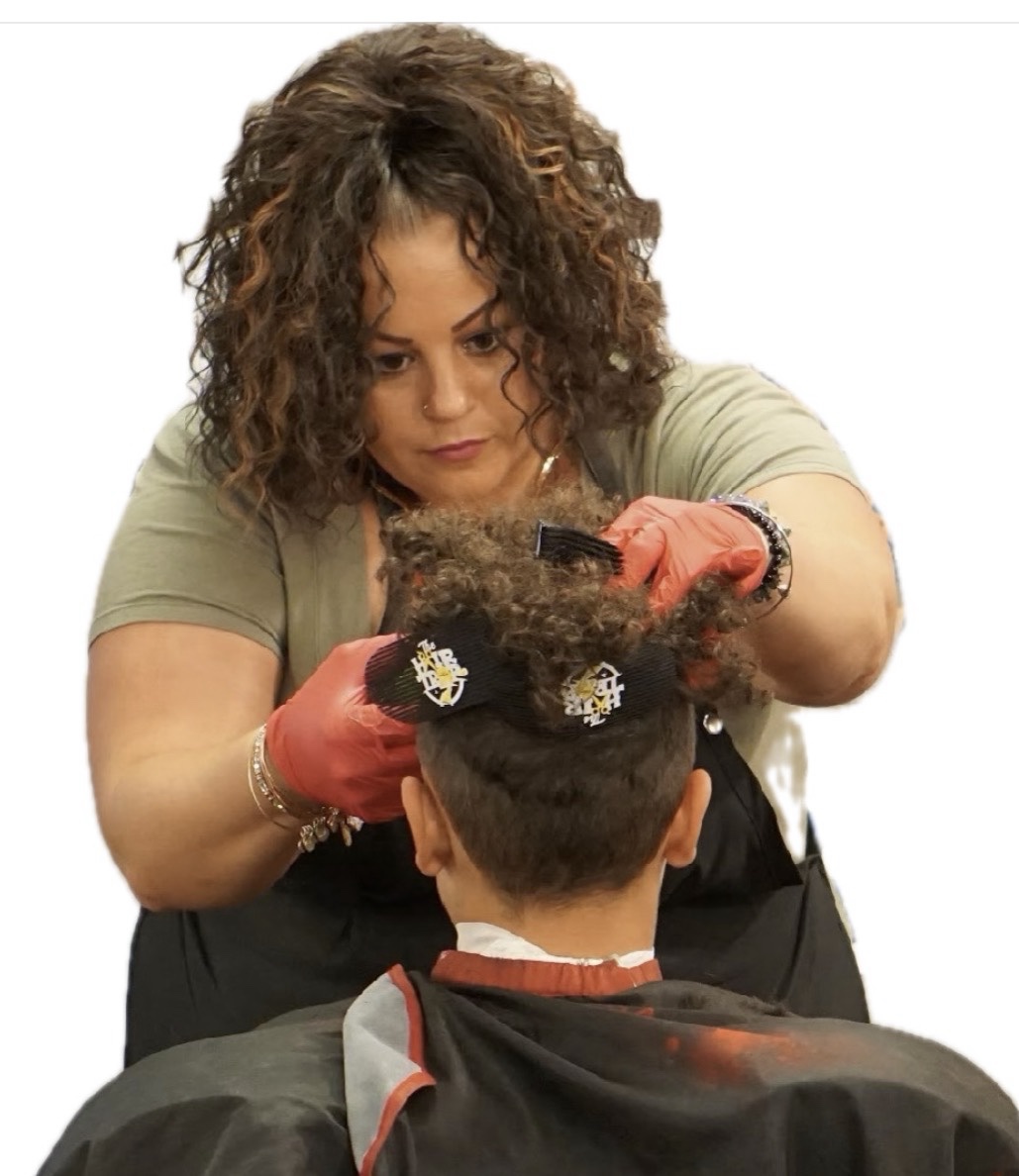
Owner Jessi specializes in barbering for all ages and hair textures, hot towel straight razor shaves, and sugaring hair removal - all delivered with care and attention to detail that keeps clients coming back year after year.

"I tried Jessi for the first time before my wedding - she's been my only barber 4 years and counting."
- Tim C.
Studio Hours
ON
INSTAGRAM

See the latest cuts, shaves, and studio life from Jessi's chair in Rocky Hill, CT.

Barber | Owner
@JESSIECANNA
_THE_BARBER
Jessi's personal barber page
Follow on Instagram ->
IG
@GIOVANNISBARBERSTUDIO
Studio page | 596 posts
Follow ->
FB
Facebook
Follow ->
PH
Fresh Cuts
View ->
IG @jessiecanna_the_barber IG @giovannisbarberstudio FB Facebook
WHAT THEY SAY
LOCATION
GIOVANNI'S
BARBER STUDIO
A
Address
2252 Silas Deane Hwy
Rocky Hill, CT 06067
OUR
POLICIES
Late Policy
If you are late your appointment may need to be rescheduled. Repeated lateness may be considered a no-show.
Cancellations
Haircuts: 24hr notice | less than 24hrs = $20 fee.

Sugaring & Facials: 48hr notice required.
Pre-Treatment
Anyone receiving a sugaring or skin care service must fill out an intake form prior to your visit for safety purposes.
Sugaring Bookings
Text (860) 856-9983 with preferred days/times and the service you'd like to schedule.
READY TO
LOOK FRESH?
Book your spot at Giovanni's Barber Studio - Rocky Hill, CT
We Accept
Cash
Stripe
PayPal logoPayPal
Venmo logoVenmo
Cash App

BOOK YOUR APPOINTMENT

Select a service, pick your time, and you're all set.

1
Service
→
2
Date & Time
→
3
Your Info
→
4
Confirm
SELECT A SERVICE
PICK A DATE & TIME
Select Date
Available days are highlighted. Closed or fully booked days cannot be selected.
AvailableFully BookedClosed
Available Times
Select a date first
YOUR INFORMATION
OK
YOU'RE BOOKED!

Confirmed at Giovanni's Barber Studio. See you soon!

Reminder: Haircuts require 24hr cancellation notice. Sugaring & facials require 48hr notice. Call or text (860) 856-9983.

MANAGE YOUR
APPOINTMENT

Use the secure link from your email to reschedule, cancel, or download your calendar file.

Appointment
Loading appointment...
Dashboard
Dashboard
Operations
Schedule
Appointments
Services
Hours
Blocked Time
Customers
Reviews
Photos
Clients
Client Intelligence
Team
Barbers
Settings
Notifications
Account
Guide
<- Exit to Site
Dashboard
You are in Admin Dashboard - manage your shop here
Owner Overview
Dashboard is focused on revenue, retention, and barber performance. Use Schedule for day-of operations and Appointments for full appointment management.
Bladezy Insights
Insights will appear as bookings and client history build up.
Owner Opportunities
Clients and revenue opportunities needing attention today.
Barber Opportunities
Coaching and performance opportunities by barber.
Opportunity Queues
Turn signals into action. These are the highest-impact follow-ups right now.
Client Opportunity Queue
Marcus - Overdue 32 Days
Warning
Last visit May 4
John - VIP Not Booked
Growth
High-value repeat client
Alex - First-Time Not Returning
Opportunity
First visit 18 days ago
Barber Opportunity Queue
Marcus - Retention Declining
Coaching
60% vs team avg 71%
Chris - Low Rebooking Rate
Coaching
42% rebooking
Jessi - Growth Opportunity
Growth
Strong retention trending upward
Detailed Opportunity Queues
Turn signal into action. These are the client saves and barber follow-ups most likely to move the business right now.
Client Opportunities
Barber Opportunities
Focused on the current barber context.
Revenue & Growth
Lead with the money. These are the metrics most directly tied to revenue expansion and revenue leakage.
Risk & Retention
These cards surface churn pressure and who needs follow-up first.
VIP & High Value
Keep your highest-value clients and strongest revenue contributors in view.
Barber Intelligence
Your core staff performance metrics, grouped together for faster coaching and decision-making.
Chair Fee Intelligence
Track upcoming dues, missed payments, and payment reliability across barbers.
Chair Fee Intelligence
Info
0
Chair fee intelligence will appear as barber payment dates are added.
Built from chair fee amount, payment frequency, next due date, payment status, and late days.
Predictive Signals
Forward-looking signals based on booking, retention, and revenue trends.
Predictive Signals
Signals will appear as bookings, retention, and revenue trends build up.
Automated Recommendations
Recommended next actions based on booking, retention, and performance signals.
Automated Recommendations
Recommendations will appear as booking, retention, and performance signals build up.
Performance Signals
Charts and barber performance for fast scanning and easier coaching decisions.
Revenue by Barber
Chart will appear after bookings load.
Bookings by Day
Chart will appear after bookings load.
Barber Performance Breakdown
Barber Appointments Revenue Retention No-Show Rate Actions
Client Intelligence
A quick executive view of client growth, retention, and revenue opportunity.
Total Active Clients
0
Clients with recorded booking history.
New Clients (30 Days)
0
First-time clients added in the last 30 days.
Returning Client Rate
0%
Share of clients with more than one visit.
At-Risk Clients
0
Clients currently trending toward churn.
VIP Clients
0
Highest-value repeat clients worth protecting.
Upgrade Candidates
0
Clients ready for premium services or add-ons.
Barber Overview
Personal performance, repeat business, revenue, and your own client opportunities.
My Revenue
$0.00
My Appointments
0
My Retention
0%
My No-Show Rate
0%
My Client Intelligence
A personal view of your client retention, risk, and rebooking opportunities.
My Active Clients
0
Clients you have served or currently have booked.
My Returning Rate
0%
Share of your clients who have come back.
My At-Risk Clients
0
Clients who may need a follow-up from you.
My VIP Clients
0
High-value repeat clients in your book.
My Rebooking Opportunities
0
Repeat clients who look overdue to return.
My Bookings by Weekday
Chart will appear after bookings load.
My Services Mix
Chart will appear after bookings load.
My Upcoming Appointments
DateClientServiceStatus
My Opportunities
Insights will appear after bookings load.
Now In Chair
No active appointment
No active appointment right now.
Next Up
No more appointments today
Nothing else is scheduled for later today.
Running Late
On time
No appointments currently flagged late.
Today's Schedule
TimeClientServicePaymentStatusActions
Upcoming Appointments
ClientServiceDurationDate & TimeEndsPaymentStatusActions
All Appointments
ClientServiceDurDate & TimeEndsPhonePaymentStatusActions
Notifications
Manage Bladezy's appointment messaging, reminders, follow-ups, and rebooking outreach from one operational communication center.
Notifications is the primary place to manage messaging templates, timing, and channel behavior. Keep the Account tab for delivery setup only.
Messaging Controls
Available Template Variables
Use these variables inside message templates.
Every preview below substitutes sample values so you can review your message structure before saving it live.
Appointment Notifications
Core operational messages triggered by bookings, reminders, cancellations, and reschedules.
Client Engagement
Retention-oriented follow-ups built for rebooking, no-show recovery, and client reactivation.
Business Intelligence Notifications
Coming Soon
Future-ready alerting for high-value clients, overdue outreach, and proactive revenue opportunities.
Notification Activity Log
Recent notification-setting actions and preview-only test activity inside Bladezy.
Service buffer: Control cleanup / reset time after each service.
Services
Add Service
Selected Color: Blue
preview
Business Hours
Block Time Off
Blocked Periods
Add Review
Current Reviews
Manage hero, gallery, and service photos here. In this build, photos are stored locally in this browser/device only. They are not shared across browsers or devices, and they are not currently stored in a database, Google Drive, or an external cloud storage integration. That means visitors on other devices generally will not see uploaded photos unless those assets are part of the shipped site or moved into real shared storage.
Photo Storage
Checking photo storage...
Site Photos
Tip Hero Portrait Photo - Upload a portrait of your lead barber, owner, or studio team here to display it on the right side of the homepage hero with the 3D cutout effect.
Service Photos
Clients are created automatically from saved bookings.
Client List
Client Email Phone Visits Last Visit History
Vacation / Closed Dates
Block entire days or date ranges for vacations, holidays, closures, or time away.
Blocked Date List
Client Intelligence
Use this page to proactively manage retention, VIP clients, overdue returns, and upgrade opportunities before revenue slips away.
Client Intelligence List
Client Last Visit Visits Value Risk Barber Recommended Actions
Barber Drill-Down
Manager review workspace for barber-level coaching, performance, and client opportunity follow-up.
Selected barber
Manager review workspace
Review current coaching priorities.
Appointments
0
Revenue
$0
Retention
0%
Rebooking
0%
No-Show
0%
Active Clients
0
Overdue Clients
0
VIP Clients
0
Related Clients
Overdue, at-risk, VIP, and low-rebooking clients most relevant to this barber right now.
Barbers
Manage team members, performance, and chair assignments.
Barber List
Barber Status Revenue Chair Fee Due Date
Barber Details
Select a barber from the left to review details, rent status, and access settings.
Required for barber mobile access.
$
$
Optional fee for barber mobile access.
Use this workspace to manage active team members now. Chair fee amount, payment cadence, and role fields are ready for future rent and payroll workflows.
Chair Fee Status
Next due is tracked from the barber profile payment cadence and due-date settings.
Status
Paid 0 days
Next Due --
Last Paid --
On time and ready for the next due date.
OWNER GUIDE
A quick reference for the core admin areas after onboarding.
Where Everything Lives
Core setup order
  1. Go to Services to add what clients can book.
  2. Go to Hours to set your weekly availability.
  3. Use Account for owner access, launch links, SMS delivery setup, and template choices.
  4. Use Notifications for reminders, follow-ups, and email/SMS controls.
  5. Use Photos to manage hero, gallery, and service images.
Need the walkthrough again?
Open Account and use Replay Onboarding Tour any time you want the guided admin walkthrough again.
Links & Access
Owner reference links
Your direct booking link and admin sign-in link live in Account. Use the booking link for your Book Now buttons and keep the admin link private for owner access.
Admin vs booking site
The booking site is customer-facing. Admin is your control area for shop settings, messaging, and operations. Keep owner actions inside Admin, not the public booking flow.
Messaging
SMS and email setup
Use Account for SMS delivery setup, including whether SMS is off, manual, or webhook-based. Use Notifications for the templates, timing, and channel toggles that control client communication.
Photos
Photo management
All owner-facing photo management happens in Photos. In the current admin build, uploaded photos are managed from that tab and stored locally on this device/browser unless a future external storage connection is added.
X
Upload
Drag & drop a photo here
or click to browse from your computer
or paste URL
preview
OK Photo ready to apply